


Blog
What Is Meeting Room Booking Software? A Complete Guide
Managing meeting rooms efficiently has become increasingly challenging for organizations of all sizes. With hybrid work models, flexible schedules, and growing collaboration needs, companies must ensure their meeting spaces are always available, properly utilized, and easy to manage.
Meeting room booking software offers a structured and reliable solution. It allows employees to reserve conference rooms in advance, prevents scheduling conflicts, and provides real-time visibility into room availability. More importantly, it helps businesses optimize office space, improve productivity, and create a smoother workplace experience.
In this guide, we explain what meeting room booking software is, how it works, its key benefits, essential features, and how DeskFlex helps organizations manage meeting spaces more effectively.
What Is Meeting Room Booking Software?
Meeting room booking software is a digital solution designed to simplify the reservation and management of meeting rooms, conference rooms, and shared collaboration spaces.
Employees can quickly view room availability, book rooms for meetings, and manage reservations from a single platform. For organizations, this software eliminates manual scheduling, reduces wasted space, and ensures that meeting rooms are used efficiently.
By centralizing room scheduling, businesses gain better control over office space while supporting collaboration across in-office, remote, and hybrid teams.
Essential Features of a Meeting Room Booking Software
A reliable and best meeting room booking system includes features that improve efficiency, visibility, and ease of use across workplaces. These features help employees schedule meetings smoothly while giving organizations stronger control over room usage and resources.
- Room Scheduling: Meeting room booking software allows teams to schedule conference rooms in advance or on the spot, ensuring organized and conflict-free meetings. This simplifies coordination and helps employees quickly find the right space for every type of meeting.
- Room Availability & Tracking: The system provides real-time updates on room availability, allowing employees to see which spaces are free at any given time. Availability tracking prevents double bookings and reduces the frustration of searching for open meeting rooms.
- Integration with Calendars: Meeting room booking software integrates with Microsoft Office and Google Calendar to synchronize reservations seamlessly. This ensures that all meetings and room bookings remain aligned with employee schedules automatically.
- Resource Management: The system helps manage additional resources such as projectors, whiteboards, and conferencing equipment required for meetings. Employees can reserve necessary resources along with the room, avoiding last-minute shortages or conflicts.
- Room Details: Meeting room booking software provides detailed information about each room including capacity, equipment, and meeting room layout. This allows employees to choose the most suitable space based on their meeting requirements.
- Notifications and Reminders: Automated notifications alert employees about upcoming meetings, confirmations, or changes to room bookings. Reminders reduce missed reservations and ensure teams arrive prepared and on time.
- Mobile Access: Employees can book, modify, or cancel room reservations from mobile devices or remote locations. Mobile access supports hybrid work and ensures that team members can manage bookings anytime, anywhere.
- Analytics and Reporting: The system delivers comprehensive reports on room usage, booking trends, and space efficiency. Facility managers can leverage this data to optimize office layouts, plan future spaces, and reduce wasted rooms.
- Check-In and Check-Out: Automated check-in and check-out features confirm room usage and release unused spaces when meetings do not start. This improves room availability and ensures maximum utilization of office resources.
- User Access Control: Meeting room booking software allows administrators to manage permissions and control who can book or modify rooms. User access control ensures secure and organized scheduling across all teams and departments.
Benefits of Using Meeting Room Booking Software

Meeting room booking software provides tangible benefits for business, employees, facility managers, and organizations managing shared meeting spaces. It improves efficiency, reduces scheduling frustration, and ensures optimal utilization of office resources while supporting modern workplace needs.
Optimize Room Usage
Meeting room booking software gives real-time visibility into which rooms are available at any given moment. This ensures no meeting space sits idle while employees search for open rooms. Facility managers can analyze usage patterns and adjust layouts, ensuring every room meets organizational needs. By optimizing room usage, businesses can accommodate more meetings without requiring additional office space.
Prevent Double Bookings
The system automatically manages room schedules and prevents overlapping reservations. Employees no longer face confusion or last-minute conflicts when multiple teams need the same space. This feature saves time and reduces stress, keeping meetings on schedule and productive. Teams gain confidence that the right room will be available when they need it.
Support Hybrid Teams
Meeting room booking software allows employees to reserve spaces whether they are working in-office or remotely. It supports hybrid work models by ensuring seamless scheduling across distributed teams and locations. Employees can coordinate in-person and virtual meetings efficiently without switching between tools. This flexibility helps maintain collaboration and connectivity for all team members.
Improve Productivity
Booking a room becomes fast and intuitive, reducing the time employees spend searching for available spaces. Teams can focus on meaningful work instead of handling logistical issues. The software streamlines scheduling, allowing meetings to start on time and run smoothly Overall, productivity improves as employees spend more time on tasks that drive results.
Reduce No-Shows
Automated check-in ensures rooms are confirmed only when meetings actually occur. If no one checks in, the room is automatically released for others to use. This prevents wasted space and makes more rooms available during busy periods. Employees benefit from knowing that available rooms are accurately tracked and ready when needed.
Lower Costs
Meeting room booking software identifies underutilized spaces that may be increasing operational expenses. Organizations can make informed decisions about office space and reduce unnecessary real estate costs. Better room allocation allows businesses to maximize existing space instead of investing in additional areas. This leads to significant savings while improving overall workplace efficiency.
Data-Driven Insights
The system provides detailed reports on room usage, booking trends, and peak hours. Facility managers can make data-driven decisions about office layouts, capacity planning, and resource allocation. Insights help organizations plan future spaces more effectively, avoiding guesswork. By leveraging analytics, businesses can create a more efficient, productive, and well-organized workplace.
How Meeting Room Booking Software Works?
Meeting room booking software streamlines the entire scheduling process by automating reservations and providing full visibility of office spaces. The system ensures employees can find, book, and manage meeting rooms without confusion, delays, or manual coordination. Here is how it works in practice:
1. Find a Room
Employees can quickly search for available meeting rooms based on time, capacity, and required resources. Real-time availability updates ensure they see only free rooms, eliminating guesswork and last-minute scheduling conflicts. Advanced filters allow users to select rooms with specific equipment, layout, or accessibility features, making it easy to choose the right space.
2. Book a Room
Once a suitable room is identified, employees can reserve it instantly through the system or their integrated calendar. The booking confirms availability, prevents double bookings, and sends notifications to all attendees automatically. Rules such as booking duration limits or recurring meetings are applied to ensure fair and organized use of all rooms.
3. Check-In
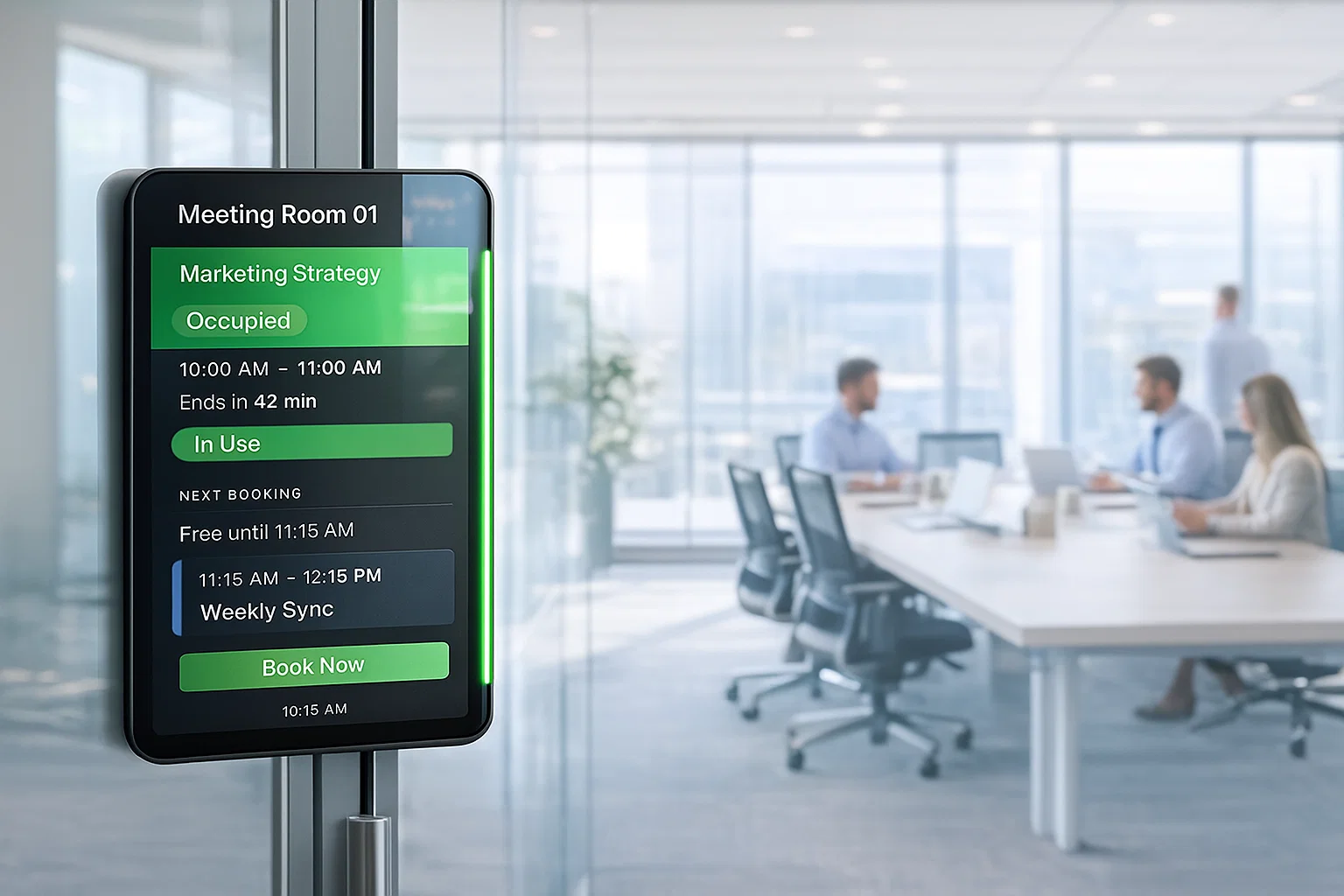
When employees arrive for their meeting, they check in via the system or a connected device outside the room. This confirms that the room is being used and allows the system to track actual occupancy. Check-in helps managers monitor utilization and ensures employees are held accountable for their reservations.
4. Free Up Space
If no check-in occurs within a set time, the system automatically releases the room for others to book. This prevents wasted space and allows teams to quickly find alternative rooms if needed. By freeing up unused rooms, the software show the avialibilty on room display screen and maximizes office efficiency and ensures all meeting spaces are utilized effectively.
Best Practices for Meeting Room Booking Software
Following best practices ensures your meeting room booking software is used efficiently, reduces conflicts, and maximizes office space. Implementing these strategies helps employees and facility managers get the most value from the system while supporting smooth collaboration.
- Set Clear Objectives: Define what you want to achieve with the software. Decide if your focus is on basic scheduling, resource management, analytics, or full workspace optimization. Clear objectives help guide setup, training, and feature selection for maximum impact.
- Define Booking Rules: Establish rules for room reservations, including who can book, for how long, and how recurring meetings are handled. Clear procedures prevent double bookings, reduce conflicts, and ensure fair access for all teams. Document these rules and communicate them clearly to employees.
- Identify Room Capacities: Understand the size, layout, and equipment of each meeting room. The system can then suggest rooms based on attendee numbers and meeting requirements. Accurate room specifications improve planning, prevent overcrowding, and make better use of available spaces.
- Set Time Limits: Determine how long rooms can be reserved, advance booking windows, and cancellation policies. Time limits ensure rooms are available for multiple teams and prevent underutilized spaces. This creates a smoother booking process and maximizes room efficiency.
- Control User Access: Define who can book, modify, or approve room reservations. Prioritize critical teams if necessary and set appropriate permission levels. Proper access control maintains security and keeps scheduling organized.
- Choose the Right Technology: Select software that integrates with calendars, communication platforms, and workplace tools. Ensure it offers mobile and remote access for hybrid teams to book rooms anytime. Integration reduces manual coordination, prevents conflicts, and enhances productivity.
- Promote Employee Adoption: Train employees on how to use the software and provide clear usage guidelines. Encourage consistent usage to ensure meetings run smoothly and rooms are properly utilized. Adoption is key to unlocking the full benefits of automated scheduling.
- Monitor and Improve: Regularly review meeting room analytics and usage reports to identify patterns and optimize processes. Adjust booking rules, room allocation, and time limits based on real data. Continuous monitoring ensures the software supports productivity and efficient room management.
Why DeskFlex Is the Top Meeting Room Booking Solution?
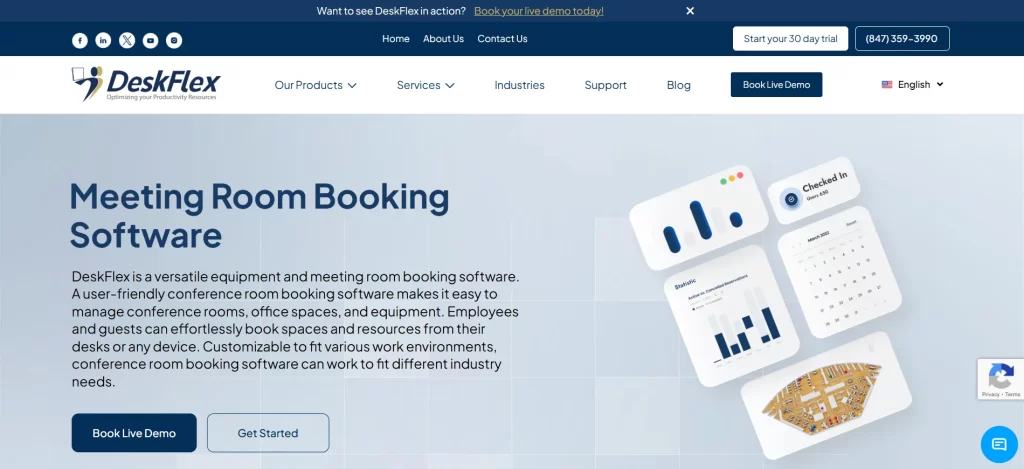
DeskFlex is an all-in-one meeting room booking software that simplifies scheduling while helping organizations make the most of their office space. It enables teams to manage rooms efficiently, reduces scheduling conflicts, and improves overall workplace productivity.
- Real-Time Availability: Employees can instantly see which meeting rooms are free and reserve them without delays or confusion. This ensures that every team has access to the right space exactly when they need it. By providing up-to-date availability, DeskFlex eliminates wasted time and supports smoother, more productive meetings.
- Calendar Integration: DeskFlex syncs seamlessly with Microsoft Outlook, Google Workspace, and other popular calendar tools. This alignment prevents double bookings and keeps room reservations consistent with employee schedules. Teams save time managing multiple calendars and can focus on actual work instead of coordinating schedules manually.
- Automated Check-In: The system confirms room usage automatically and releases spaces if no one checks in. Unused rooms are freed up for other teams, preventing wasted office space and improving overall availability. This feature ensures that meeting rooms are always efficiently utilized, even during busy workdays.
- Advanced Analytics: DeskFlex provides detailed analytics reports on room usage, peak booking times, and overall office space efficiency. Facility managers can make informed decisions about office layouts, resource allocation, and future space planning. Data-driven insights help organizations optimize their workspace and improve productivity across all teams.
Start optimizing your meeting room management today. Book a free demo with DeskFlex and experience seamless scheduling for your workplace.
Frequently Asked Questions (FAQs)
What is meeting room booking software?
Meeting room booking software is a digital system that allows employees to reserve, manage, and track meeting rooms efficiently.
How does it improve office space usage?
It provides real-time room availability and usage reports, helping organizations identify underutilized spaces and optimize layouts.
Can it prevent double bookings?
Yes, the system automatically blocks already reserved rooms, preventing overlapping bookings and scheduling conflicts.
Does it integrate with calendars?
Most meeting room booking software integrates with Google Calendar, Microsoft Outlook, and Teams to keep reservations synchronized.
How are no-shows handled?
Automated check-in features release rooms if employees fail to arrive, making spaces available for others immediately.
Can employees book rooms remotely?
Yes, the software supports mobile and remote booking, enabling hybrid teams to reserve spaces from anywhere.
What analytics are available?
It provides reports on peak booking times, room usage trends, occupancy rates, and overall space efficiency for better decision-making.
Does it support hybrid work?
Yes, employees can book rooms in-office or remotely, and the system integrates with virtual meeting platforms for seamless collaboration.
Is it suitable for large organizations?
Absolutely. The system scales to manage multiple rooms across locations and supports growing numbers of users efficiently.
How is data and security managed?
Meeting room booking software uses role-based access, encryption, and secure integrations to protect sensitive scheduling information.